
Video Games
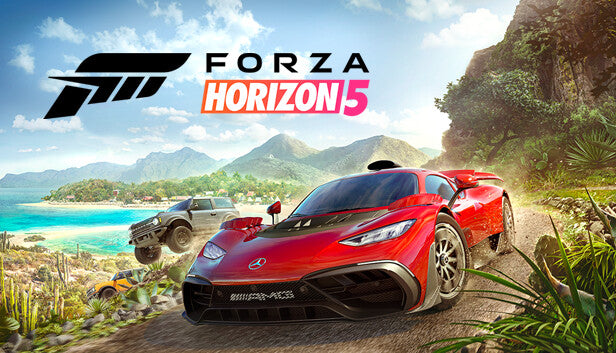
Forza Horizon 5 Windows 10/11 Account
Questions before you buy?
Talk to the team if you want delivery, activation, or edition guidance before you place the order.
This is not a product key. A NEW ACCOUNT will be created for you, and the purchased content will be available there. Log in to that account using the details provided in your Inventory. Applying any changes to the purchased account, such as adding a payment method or changing the region, may result in the account being banned. In such cases, no refund is applicable
Turn your PC into the center of the Horizon Festival. A Forza Horizon 5 Windows 10/11 Account gives you ready-to-play access to the full game on PC through an account that already owns the license. You simply sign in, install the game, and hit the road—no extra purchases, no waiting for physical copies, just pure open-world racing.
If you’ve been wanting to explore Mexico in one of the best-looking racing games on PC, this account option lets you jump straight into the action without paying full storefront price.
Key Features
A Vast Open-World Mexico
Cruise, race and explore a huge map inspired by Mexico, with deserts, jungles, mountain roads, canyons, small towns and coastal highways. Every route offers a different driving challenge and a new view.
Huge Car Roster
Build a garage filled with hypercars, classics, drift icons, rally monsters, off-road beasts and more. Tune and customize everything from engine swaps and aero kits to paint, vinyls and rims.
Your Horizon Festival, Your Style
Choose how you want to play: circuit races, street races, drag races, PR stunts, story missions, seasonal content or collectibles. The game constantly gives you options instead of forcing a strict path.
Online Shared World
Drive in a world full of other players. Join convoys with friends, take on online events, race head-to-head, or just cruise together and show off your favorite builds.
EventLab & Creative Tools
Use built-in tools to make custom races, stunt tracks and unique game modes. Publish your creations or discover what the community has built and challenge yourself on player-made content.
Optimized for PC
Enjoy high-resolution visuals, detailed car models and smooth framerates on a capable PC. Set up controller, keyboard or steering wheel support the way you like it and tweak graphics settings for the best performance.
Account-Based Access
This product is an account, not a standard CD key. The game is already purchased on the provided profile, so you log in with those credentials, install Forza Horizon 5, and you’re ready to play.
PC System Requirements
Minimum Requirements
-
CPU: Intel Core i5-4460 or AMD Ryzen 3 1200
-
RAM: 8 GB
-
GPU: NVIDIA GTX 970, AMD RX 470, or Intel Arc A380
-
DirectX: Version 12
-
Network: Broadband internet connection
-
Storage: 110 GB available space
Recommended Requirements
-
CPU: Intel Core i5-8400 or AMD Ryzen 5 1500X
-
RAM: 16 GB
-
GPU: NVIDIA GTX 1070, AMD RX 590, or Intel Arc A750
-
DirectX: Version 12
-
Network: Broadband internet connection
-
Storage: 110 GB available space
What It Feels Like
Playing Forza Horizon 5 feels like living inside a car festival that never stops. One session you might be sending a rally car through a tropical storm, the next you’re drifting a JDM classic down a mountain switchback, then swapping into a hypercar for a highway speed run.
Progression feels natural: you unlock more events, cars and locations simply by driving and trying new activities. Whether you’re into clean racing lines, wild off-road routes, drifting, photography, or just chilling in free roam with friends, the game always has something that fits your mood.
Activation Guide – Windows 10/11 Account
-
Sign out of your current Microsoft account
-
Open the Microsoft Store on your PC.
-
Open the Xbox app (if installed).
-
Sign out of any existing Microsoft / Xbox profile in both apps.
-
-
Sign in with the provided account
-
In the Microsoft Store, click your profile icon and select Sign in.
-
Enter the email and password you received with your purchase.
-
If needed, open the Xbox app and sign in using the same credentials.
-
-
Find the game in the library
-
Go to Library / My Library in the Microsoft Store or Xbox app.
-
Locate Forza Horizon 5 in the list of owned games.
-
-
Download and install
-
Click Install and wait for the download and installation to complete.
-
-
Launch the game
-
Start Forza Horizon 5 from the Start menu, Microsoft Store, or Xbox app.
-
Complete the initial setup and adjust your graphics, control and audio settings.
-
-
(Optional) Use your own Xbox profile in-game
-
After installation, you may be able to connect your own Xbox profile in-game (if instructions from the seller allow this) so that achievements and friends are tied to your usual account while the license remains on the provided one.
-
Always follow any extra instructions included with your order, as some accounts may have specific rules for usage.
Product snapshot
What you receive
- Original activation or license delivery by email after checkout.
- Download or installation guidance included whenever the product requires it.
- Order, activation, and account support available if you need help.
Buying confidence
- Checkout runs through the same NDWS Market order flow used across the catalog.
- Order, delivery, and activation questions can be handled through support if something needs attention.
- If you need the correct edition confirmed before buying, contact support first and include the product name.
Process
How digital delivery works
01 Purchase
Buy your product securely through NDWS Market checkout with fast digital order processing.
02 Download
You receive the activation key and any installation guidance by email after checkout.
03 Install
Follow the included steps to download and install the software on the correct device.
04 Activate
Enter the delivered license key to activate the product and start using it.
Compare
Why buy from NDWS Market?
| Features | NDWS Market | Others |
|---|---|---|
| Guaranteed authentic software Every key is sourced for legitimate activation and delivered through the NDWS Market order flow. | ✓ | × |
| Instant digital delivery The license key and access details are sent by email after checkout without manual chasing. | ✓ | × |
| Activation and install guidance Support can help if you need the right edition confirmed or the setup steps clarified. | ✓ | × |
| Replacement or refund path If there is a real activation issue, NDWS Market gives you a support route instead of leaving you stuck. | ✓ | × |
| Transparent checkout pricing The buying flow stays inside one storefront with visible pricing and a normal checkout experience. | ✓ | × |
| Secure encrypted payments Orders run through the same protected checkout used across the catalog, not scattered seller flows. | ✓ | × |
Support
Frequently asked questions
How do we keep our prices so low?
Digital fulfillment and volume sourcing let NDWS Market price many products below typical retail levels.
Are our codes/keys real?
Yes. NDWS Market products are sold for legitimate activation and standard digital delivery.
How long does it take to get my order?
Most orders are delivered within minutes, although verification or payment checks can occasionally add some delay.
Do we ship by post?
Software keys and digital products are delivered electronically. Physical shipping only applies when a listing clearly includes hardware.
How can I download/view my code/key?
You receive the key and any included instructions by email after checkout, so you can access the product details digitally.
Are there subscription fees for your product keys?
No recurring subscription is added unless the product itself is specifically sold as a subscription-based license.
Can I redeem/activate my product key later?
Usually yes, but activating sooner is still the safer option so you can confirm everything is working while the order is fresh.
I do not know how to activate my product key.
Use the included setup guidance first. If anything is unclear, contact support and we will help you complete the activation.


Reviews
There are no reviews yet.