
Software
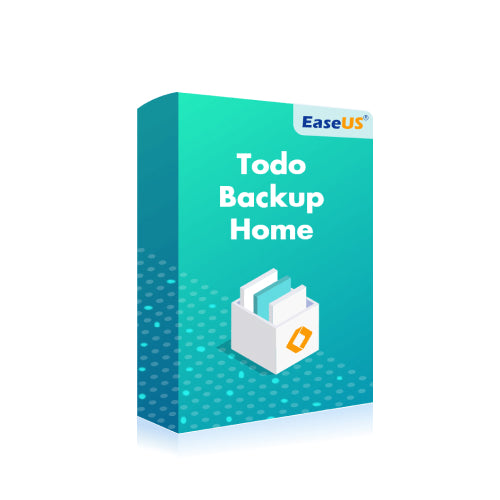
EaseUS Todo Backup Home Lifetime Upgrade Key (Lifetime / 1 PC)
Questions before you buy?
Talk to the team if you want delivery, activation, or edition guidance before you place the order.
EaseUS Todo Backup Home Edition is a powerful and easy-to-use solution designed for secure data backup, system recovery, and disk cloning. With a Lifetime Upgrade License for 1 device, this software ensures that your important files, systems, and applications remain protected against data loss. Whether you’re backing up personal files, creating system images, or migrating your operating system to a new drive, EaseUS Todo Backup Home Edition provides comprehensive tools for reliable data management.
This edition includes lifetime upgrades, ensuring that you receive all future feature updates and optimizations, keeping your software current without the need for additional purchases.
Key Features of EaseUS Todo Backup Home Edition:
-
Complete Backup Solution:
- Backup entire systems, disks, partitions, and specific files or folders. You can schedule automatic backups to ensure your data is always protected without manual intervention.
-
System Recovery and Restoration:
- Quickly restore your system after crashes, malware infections, or hardware failures. System image backups ensure that you can recover your operating system and all installed applications efficiently.
-
Disk Cloning:
- Migrate your system or data to a new disk with disk cloning functionality. Whether you’re upgrading to a larger HDD or a faster SSD, EaseUS Todo Backup ensures a smooth transition by cloning your entire disk or specific partitions.
-
Incremental and Differential Backups:
- Save storage space by performing incremental or differential backups. These types of backups only store changes made since the last backup, reducing backup size and speeding up the process.
-
Cloud Backup Support:
- EaseUS Todo Backup integrates with popular cloud storage services like Google Drive, Dropbox, and OneDrive, allowing you to back up and restore files directly to and from the cloud.
-
File and System Encryption:
- Protect your sensitive data with AES 256-bit encryption. Ensure that your backups remain secure and inaccessible to unauthorized users.
-
Bootable Media Creation:
- Create a bootable USB drive or CD/DVD to restore your system in case it fails to boot. This feature is especially useful for recovering from serious system crashes or corrupted drives.
-
Email Backup:
- EaseUS Todo Backup includes support for email backup, allowing you to back up your Outlook data, including contacts, emails, and calendar events, ensuring no important communication is lost.
-
Advanced Scheduling Options:
- Set up customized backup schedules to automate the process based on your needs. You can back up your files daily, weekly, or at specific intervals without manual involvement.
-
Lifetime Upgrades:
- The Lifetime Upgrade Key ensures you receive all future software updates, feature improvements, and security patches without additional costs, making this a long-term investment in reliable backup solutions.
Who Should Use EaseUS Todo Backup Home Edition?
- Home Users: Ideal for individuals looking to secure their personal data, family photos, financial documents, and other important files with regular, reliable backups.
- Small Businesses: Perfect for small business owners who need to ensure their systems and files are regularly backed up and can be restored in case of hardware failure or data corruption.
- Casual Users: For users upgrading their PC’s hardware or migrating their data to new devices, EaseUS Todo Backup provides a smooth, easy-to-use solution for cloning and transferring data.
Why Choose EaseUS Todo Backup Home Edition?
EaseUS Todo Backup Home Edition is trusted by millions of users for its comprehensive, easy-to-use backup and recovery features. With support for full, incremental, and differential backups, disk cloning, and system recovery, it offers a versatile solution for all your data protection needs. The lifetime upgrade license ensures long-term use without additional upgrade costs, making it a cost-effective solution for home users and small businesses.
How to Activate Your EaseUS Todo Backup Home Edition Lifetime Upgrade Key:
- Download EaseUS Todo Backup Home Edition from the official EaseUS website.
- Install the software on your PC.
- Open the software and navigate to the activation page.
- Enter your Lifetime Upgrade Key to unlock the full version.
- Start backing up your files, systems, and data with the confidence of lifetime protection and updates.
EaseUS Todo Backup Home Edition provides a reliable and easy-to-use solution for protecting your data. With a Lifetime Upgrade License for 1 device, this software offers comprehensive backup, cloning, and recovery features that ensure your digital assets are safe and recoverable in case of data loss.
Product snapshot
What you receive
- Original activation or license delivery by email after checkout.
- Download or installation guidance included whenever the product requires it.
- Order, activation, and account support available if you need help.
Buying confidence
- Checkout runs through the same NDWS Market order flow used across the catalog.
- Order, delivery, and activation questions can be handled through support if something needs attention.
- If you need the correct edition confirmed before buying, contact support first and include the product name.
Process
How digital delivery works
01 Purchase
Buy your product securely through NDWS Market checkout with fast digital order processing.
02 Download
You receive the activation key and any installation guidance by email after checkout.
03 Install
Follow the included steps to download and install the software on the correct device.
04 Activate
Enter the delivered license key to activate the product and start using it.
Compare
Why buy from NDWS Market?
| Features | NDWS Market | Others |
|---|---|---|
| Guaranteed authentic software Every key is sourced for legitimate activation and delivered through the NDWS Market order flow. | ✓ | × |
| Instant digital delivery The license key and access details are sent by email after checkout without manual chasing. | ✓ | × |
| Activation and install guidance Support can help if you need the right edition confirmed or the setup steps clarified. | ✓ | × |
| Replacement or refund path If there is a real activation issue, NDWS Market gives you a support route instead of leaving you stuck. | ✓ | × |
| Transparent checkout pricing The buying flow stays inside one storefront with visible pricing and a normal checkout experience. | ✓ | × |
| Secure encrypted payments Orders run through the same protected checkout used across the catalog, not scattered seller flows. | ✓ | × |
Support
Frequently asked questions
How do we keep our prices so low?
Digital fulfillment and volume sourcing let NDWS Market price many products below typical retail levels.
Are our codes/keys real?
Yes. NDWS Market products are sold for legitimate activation and standard digital delivery.
How long does it take to get my order?
Most orders are delivered within minutes, although verification or payment checks can occasionally add some delay.
Do we ship by post?
Software keys and digital products are delivered electronically. Physical shipping only applies when a listing clearly includes hardware.
How can I download/view my code/key?
You receive the key and any included instructions by email after checkout, so you can access the product details digitally.
Are there subscription fees for your product keys?
No recurring subscription is added unless the product itself is specifically sold as a subscription-based license.
Can I redeem/activate my product key later?
Usually yes, but activating sooner is still the safer option so you can confirm everything is working while the order is fresh.
I do not know how to activate my product key.
Use the included setup guidance first. If anything is unclear, contact support and we will help you complete the activation.

Reviews
There are no reviews yet.