
Video Games
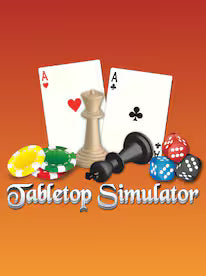
Tabletop Simulator Steam Gift
Questions before you buy?
Talk to the team if you want delivery, activation, or edition guidance before you place the order.
Gather friends and roll the dice your way. Tabletop Simulator Steam Gift gives you a flexible sandbox for board games, card decks, RPG nights, and custom creations—all on PC through Steam. Redeem your Steam gift and host game night from anywhere.
Key Features
-
Play thousands of community-made boards, decks, tilesets, and RPG assets
-
Create your own games with scripting, physics, saved states, and mod support
-
Host private lobbies with voice chat, permissions, and easy invites
-
Shuffle cards, throw dice, flip tables (then undo), and use built-in tools for setup
-
Save campaigns with autosaves, notepads, and hotseat options for couch-style sessions
Story and Atmosphere
Tabletop Simulator is a digital game table: a 3D space with realistic physics where you and your group handle pieces as if they were in the room. Board classics, party favorites, miniatures, and full open-world exploration style workshops are at your fingertips. It’s an epic adventure for game-night hosts—rules you love, variants you prefer, and no lost pieces.
Available Platforms
PC (Steam)
Minimum Requirements
-
CPU: Dual-core 2.0 GHz
-
GPU: 1 GB VRAM, DirectX 10 compatible
-
RAM: 4 GB
-
Storage: 5 GB available
-
Network: Broadband connection
Recommended Requirements
-
CPU: Quad-core 3.0 GHz
-
GPU: 2 GB VRAM or better
-
RAM: 8 GB
-
Storage: SSD with 5 GB free (plus workshop mods)
-
Network: Stable high-speed connection
| Spec | Minimum | Recommended |
|---|---|---|
| CPU | Dual-core 2.0 GHz | Quad-core 3.0 GHz |
| GPU | 1 GB DX10 | 2 GB+ |
| RAM | 4 GB | 8 GB |
| Storage | 5 GB | 5 GB (SSD) + mods |
| Network | Broadband | High-speed broadband |
Reviews & Testimonials
“The best digital table I’ve used—mods for everything.” — ★★★★☆ Board Game Host
“Physics feel right and scripting saves setup time.” — ★★★★★ Tabletop GM
“Cross-country game night is back on our calendar.” — ★★★★☆ Party Planner
Activation Guide (Steam Gift)
Please remember that we are NOT responsible for any problems that may arise from purchasing and using Steam Gifts. You are doing it at your own risk.
Please note, that due to a Valve Steam Gift policy update, Steam Gifts for games covered by the VAC ban program can no longer be added to Inventory. Make sure you are logged in to the proper account before entering the link, as Steam Gifts can only be added to your library or rejected.
How do I use a Steam gift given to me?
If you do not already have Steam, download and install Steam here: http://store.steampowered.com/about/. Once Steam is installed, create an account or log in to an existing one.
You will receive an e-mail containing a link that opens Steam and allows you to redeem your gift. After clicking the link, you’ll see a notification at the top-right of the Steam client that you have a new gift.
Buy Now — get your Tabletop Simulator Steam Gift and host custom board games, cards, and RPG nights with friends on your schedule.
Technical Specs & System Requirements
| Spec | Minimum | Recommended |
|---|---|---|
| CPU | Dual-core 2.0 GHz | Quad-core 3.0 GHz |
| GPU | 1 GB DX10 | 2 GB+ |
| RAM | 4 GB | 8 GB |
| Storage | 5 GB | 5 GB (SSD) + mods |
| Network | Broadband | High-speed broadband |
Product snapshot
What you receive
- Original activation or license delivery by email after checkout.
- Download or installation guidance included whenever the product requires it.
- Order, activation, and account support available if you need help.
Buying confidence
- Checkout runs through the same NDWS Market order flow used across the catalog.
- Order, delivery, and activation questions can be handled through support if something needs attention.
- If you need the correct edition confirmed before buying, contact support first and include the product name.
Process
How digital delivery works
01 Purchase
Buy your product securely through NDWS Market checkout with fast digital order processing.
02 Download
You receive the activation key and any installation guidance by email after checkout.
03 Install
Follow the included steps to download and install the software on the correct device.
04 Activate
Enter the delivered license key to activate the product and start using it.
Compare
Why buy from NDWS Market?
| Features | NDWS Market | Others |
|---|---|---|
| Guaranteed authentic software Every key is sourced for legitimate activation and delivered through the NDWS Market order flow. | ✓ | × |
| Instant digital delivery The license key and access details are sent by email after checkout without manual chasing. | ✓ | × |
| Activation and install guidance Support can help if you need the right edition confirmed or the setup steps clarified. | ✓ | × |
| Replacement or refund path If there is a real activation issue, NDWS Market gives you a support route instead of leaving you stuck. | ✓ | × |
| Transparent checkout pricing The buying flow stays inside one storefront with visible pricing and a normal checkout experience. | ✓ | × |
| Secure encrypted payments Orders run through the same protected checkout used across the catalog, not scattered seller flows. | ✓ | × |
Support
Frequently asked questions
How do we keep our prices so low?
Digital fulfillment and volume sourcing let NDWS Market price many products below typical retail levels.
Are our codes/keys real?
Yes. NDWS Market products are sold for legitimate activation and standard digital delivery.
How long does it take to get my order?
Most orders are delivered within minutes, although verification or payment checks can occasionally add some delay.
Do we ship by post?
Software keys and digital products are delivered electronically. Physical shipping only applies when a listing clearly includes hardware.
How can I download/view my code/key?
You receive the key and any included instructions by email after checkout, so you can access the product details digitally.
Are there subscription fees for your product keys?
No recurring subscription is added unless the product itself is specifically sold as a subscription-based license.
Can I redeem/activate my product key later?
Usually yes, but activating sooner is still the safer option so you can confirm everything is working while the order is fresh.
I do not know how to activate my product key.
Use the included setup guidance first. If anything is unclear, contact support and we will help you complete the activation.



Reviews
There are no reviews yet.