
Video Games
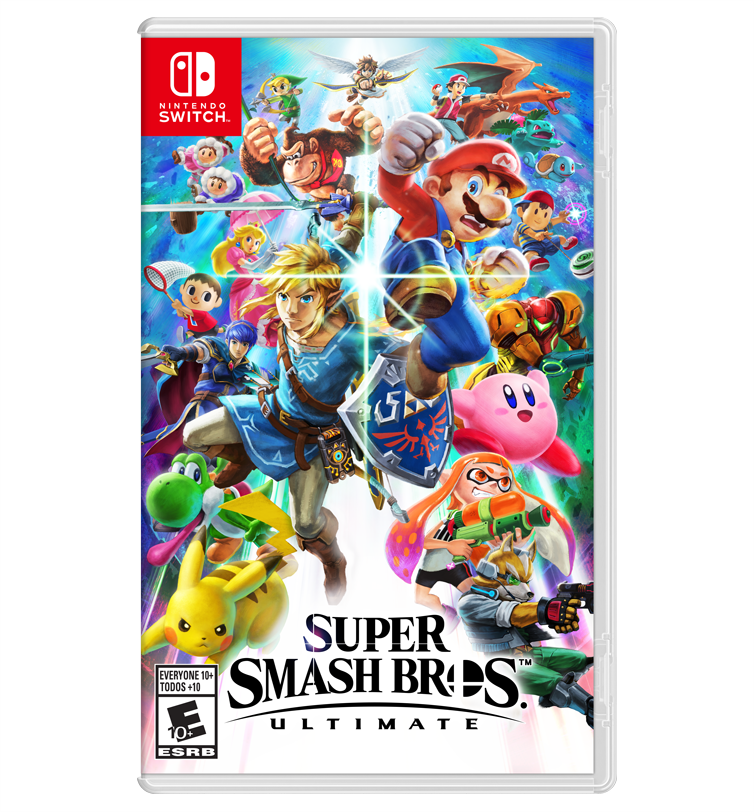
Super Smash Bros. Ultimate Nintendo Switch Online Account Activation
Questions before you buy?
Talk to the team if you want delivery, activation, or edition guidance before you place the order.
Gaming’s biggest icons collide in the ultimate showdown! Super Smash Bros. Ultimate is the definitive crossover fighting game, bringing together every fighter in the series’ history plus brand-new challengers. This product is a Digital Account Activation, giving you access to a new Nintendo Account with the full game pre-purchased and ready for download.
👊 The Ultimate Roster and Combat
-
Everyone is Here: Play as every single fighter from the past 20 years of Smash history, including Mario, Link, Samus, Pikachu, and many more.
-
Massive Content: Battle on over 100 stages, listen to over 800 music tracks, and unlock hundreds of “Spirits” to power up your fighters.
-
New Combat Mechanics: Experience faster combat, new attacks, and new defensive options like the “Perfect Shield” to keep the competitive edge.
-
World of Light: Dive into a massive single-player adventure mode to save the fighters and spirits from a mysterious new threat.
-
Up to 8 Players: Duke it out with up to 8 players locally on a single console, or take the fight online to challenge the world.
⚠️ Important Product Information
-
This is NOT a CD Key: You will not receive a 16-digit code. You will receive an activation link to a New Nintendo Account.
-
Global Access: The account is region-free and works on any Nintendo Switch, Lite, or OLED console worldwide.
-
Account Ownership: The game is permanently bound to the provided account.
-
Secondary/Primary: You can typically play using your own main profile by setting this new account as the “Primary” console in the eShop settings.
🛠️ Activation Guide (PixelPuffin.net)
To access your game, you must complete the activation through the official PixelPuffin service. Please follow these steps:
-
Redeem Your Link: Open the PixelPuffin.net activation link provided in your purchase delivery.
-
Enter Order Details: Input your Order ID, Redeem Code, and Email Address (ensure the email is correct to receive your credentials).
-
Wait for Delivery: Once you click “REDEEM,” the system begins preparing your account. This usually takes 1 hour, though it can take up to 48 hours during peak times.
-
Check Your Email: You will receive a notification email once the account is ready. Click the link inside and select “View Details” to see your new account’s Email and Password.
-
Add User to Switch:
-
On your console, go to System Settings > Users > Add User > Create New User.
-
Select an icon/nickname, then select Link a Nintendo Account.
-
Choose Sign In and Link and enter the credentials provided by PixelPuffin.
-
-
Download & Play: Open the Nintendo eShop with the new user, go to your profile (top right), and select Redownload to start the installation.
💻 Technical Specifications & Requirements
| Feature | Details |
| Platform | Nintendo Switch / Lite / OLED |
| Players | 1-8 Players (Local) / 2-4 Players (Online) |
| Multiplayer | Nintendo Switch Online membership required for online play |
| Storage | Approx. 16 GB available space |
| Controller | Joy-Con, Pro Controller, and GameCube Controller (with adapter) support |
| Languages | Multilingual (English, French, German, Spanish, Japanese, etc.) |
Why Choose the PixelPuffin Account Version?
The account-based version of Super Smash Bros. Ultimate is the most budget-friendly way to own the digital version of this massive title. By using the dedicated PixelPuffin activation portal, you ensure a secure delivery and access to a verified account. It’s the perfect choice for competitive players and families looking to expand their library with the greatest crossover game of all time.
Settle the score on the battlefield! Purchase your Super Smash Bros. Ultimate Account today and show them who’s boss!
System Requirements
| Component | Requirement |
|---|---|
| Feature | Details |
| Platform | Nintendo Switch / Lite / OLED |
| Players | 1-8 Players (Local) / 2-4 Players (Online) |
| Multiplayer | Nintendo Switch Online membership required for online play |
| Storage | Approx. 16 GB available space |
| Controller | Joy-Con, Pro Controller, and GameCube Controller (with adapter) support |
| Languages | Multilingual (English, French, German, Spanish, Japanese, etc.) |
Product snapshot
What you receive
- Original activation or license delivery by email after checkout.
- Download or installation guidance included whenever the product requires it.
- Order, activation, and account support available if you need help.
Buying confidence
- Checkout runs through the same NDWS Market order flow used across the catalog.
- Order, delivery, and activation questions can be handled through support if something needs attention.
- If you need the correct edition confirmed before buying, contact support first and include the product name.
Process
How digital delivery works
01 Purchase
Buy your product securely through NDWS Market checkout with fast digital order processing.
02 Download
You receive the activation key and any installation guidance by email after checkout.
03 Install
Follow the included steps to download and install the software on the correct device.
04 Activate
Enter the delivered license key to activate the product and start using it.
Compare
Why buy from NDWS Market?
| Features | NDWS Market | Others |
|---|---|---|
| Guaranteed authentic software Every key is sourced for legitimate activation and delivered through the NDWS Market order flow. | ✓ | × |
| Instant digital delivery The license key and access details are sent by email after checkout without manual chasing. | ✓ | × |
| Activation and install guidance Support can help if you need the right edition confirmed or the setup steps clarified. | ✓ | × |
| Replacement or refund path If there is a real activation issue, NDWS Market gives you a support route instead of leaving you stuck. | ✓ | × |
| Transparent checkout pricing The buying flow stays inside one storefront with visible pricing and a normal checkout experience. | ✓ | × |
| Secure encrypted payments Orders run through the same protected checkout used across the catalog, not scattered seller flows. | ✓ | × |
Support
Frequently asked questions
How do we keep our prices so low?
Digital fulfillment and volume sourcing let NDWS Market price many products below typical retail levels.
Are our codes/keys real?
Yes. NDWS Market products are sold for legitimate activation and standard digital delivery.
How long does it take to get my order?
Most orders are delivered within minutes, although verification or payment checks can occasionally add some delay.
Do we ship by post?
Software keys and digital products are delivered electronically. Physical shipping only applies when a listing clearly includes hardware.
How can I download/view my code/key?
You receive the key and any included instructions by email after checkout, so you can access the product details digitally.
Are there subscription fees for your product keys?
No recurring subscription is added unless the product itself is specifically sold as a subscription-based license.
Can I redeem/activate my product key later?
Usually yes, but activating sooner is still the safer option so you can confirm everything is working while the order is fresh.
I do not know how to activate my product key.
Use the included setup guidance first. If anything is unclear, contact support and we will help you complete the activation.



Reviews
There are no reviews yet.