
Software
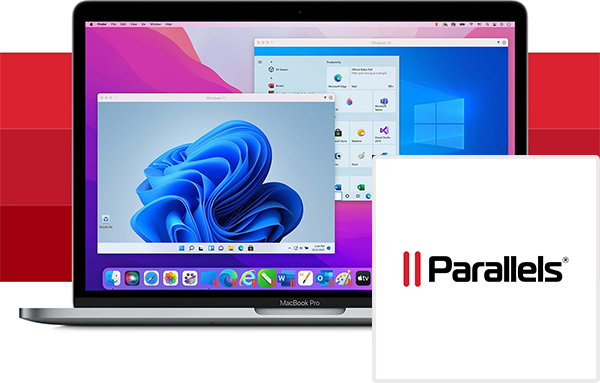
Parallels Desktop 20 Pro for Mac Key (1 Year / 1 Mac)
Questions before you buy?
Talk to the team if you want delivery, activation, or edition guidance before you place the order.
Parallels Desktop 20 Pro is the ultimate solution for Mac users who need to run multiple operating systems simultaneously with enhanced performance and advanced developer tools.
This lifetime license for 1 Mac delivers powerful virtualization capabilities, allowing you to run Windows, Linux, and macOS VMs (virtual machines) seamlessly without the need for rebooting.
Whether you’re a developer, IT professional, or power user, Parallels Desktop Pro offers all the essential features to streamline workflows, test environments, and deliver high-performance solutions.
Key Features of Parallels Desktop 20 Pro:
-
Optimized Performance for Power Users:
- Parallels Desktop 20 Pro offers enhanced performance tailored for Intel and Apple Silicon M-series chips, delivering faster Windows and Linux virtual machine (VM) performance and smooth multitasking across macOS and other OS platforms.
-
Advanced Developer Tools:
- This version includes support for Docker, Vagrant, and Visual Studio, making it perfect for developers who need to test and run apps across different environments. The Pro edition also supports CLI tools for automation and testing.
-
VM Snapshots and Rollback:
- Use the Snapshot and Rollback feature to take instant snapshots of your virtual machines. This makes testing and troubleshooting new software safer, allowing you to return to a previous state instantly if something goes wrong.
-
Increased Resource Allocation:
- Parallels Desktop 20 Pro allows for increased allocation of vCPUs (up to 32) and RAM (up to 128 GB) per VM, ensuring smooth performance even when running resource-intensive applications and environments.
-
Seamless Integration with macOS:
- The Coherence Mode allows you to run Windows applications directly from your Mac desktop, hiding the Windows interface for a seamless experience. Drag-and-drop, copy-paste, and file sharing between macOS and Windows are effortlessly integrated.
-
Multiple OS Support:
- Run Windows, Linux, and macOS alongside each other. With Parallels Desktop 20 Pro, you can also run older versions of macOS in a virtual machine for testing or accessing legacy apps.
-
Virtual Network Customization:
- Create isolated and shared virtual networks with advanced network tools, perfect for testing complex network setups or creating secure development environments.
-
Support for Business Apps:
- The Pro edition ensures compatibility with Microsoft Office, Adobe Creative Cloud, Autodesk, and other business-critical applications, making it ideal for business users who need both Windows and macOS apps running on the same machine.
-
DirectX 11 and OpenGL Support:
- Improved DirectX 11 and OpenGL 4.1 support allows you to run graphic-intensive apps, games, and professional software like AutoCAD with ease, offering better frame rates and overall graphics performance on virtualized Windows environments.
-
Cross-Platform Compatibility:
- Parallels Desktop 20 Pro ensures full compatibility with external USB devices, printers, and networks, whether they are connected to your macOS or a virtual machine.
Who Should Use Parallels Desktop 20 Pro?
- Developers and IT Professionals: Ideal for users who need advanced tools like debugging, testing environments, and multi-OS support for app development.
- Power Users: For individuals who require higher CPU and RAM limits for resource-intensive applications or multitasking across different OS platforms.
- Business and Professional Users: Perfect for business users who need to run Windows-only business software alongside macOS apps without switching machines.
Why Choose Parallels Desktop 20 Pro?
Parallels Desktop 20 Pro is the top choice for professional users who need more power and flexibility than the standard version. With features like increased resource allocation, snapshot management, advanced networking, and developer tools, it ensures that power users can seamlessly run multiple OSes and applications without performance compromises. The lifetime license provides long-term value without recurring costs, making it a smart investment for long-term use.
How to Activate Your Parallels Desktop 20 Pro Key:
- Download Parallels Desktop 20 Pro from the official Parallels website.
- Install the software on your Mac.
- Open the application and navigate to the activation page.
- Enter your CD Key to activate the lifetime license.
- Start running multiple operating systems and utilize advanced features on your Mac.
Parallels Desktop 20 Pro for Mac is designed for professional users and developers who need enhanced virtualization features and performance. With support for Windows, Linux, and macOS VMs, this lifetime license for 1 Mac provides seamless integration and performance for a wide range of applications and workflows.
Product snapshot
What you receive
- Original activation or license delivery by email after checkout.
- Download or installation guidance included whenever the product requires it.
- Order, activation, and account support available if you need help.
Buying confidence
- Checkout runs through the same NDWS Market order flow used across the catalog.
- Order, delivery, and activation questions can be handled through support if something needs attention.
- If you need the correct edition confirmed before buying, contact support first and include the product name.
Process
How digital delivery works
01 Purchase
Buy your product securely through NDWS Market checkout with fast digital order processing.
02 Download
You receive the activation key and any installation guidance by email after checkout.
03 Install
Follow the included steps to download and install the software on the correct device.
04 Activate
Enter the delivered license key to activate the product and start using it.
Compare
Why buy from NDWS Market?
| Features | NDWS Market | Others |
|---|---|---|
| Guaranteed authentic software Every key is sourced for legitimate activation and delivered through the NDWS Market order flow. | ✓ | × |
| Instant digital delivery The license key and access details are sent by email after checkout without manual chasing. | ✓ | × |
| Activation and install guidance Support can help if you need the right edition confirmed or the setup steps clarified. | ✓ | × |
| Replacement or refund path If there is a real activation issue, NDWS Market gives you a support route instead of leaving you stuck. | ✓ | × |
| Transparent checkout pricing The buying flow stays inside one storefront with visible pricing and a normal checkout experience. | ✓ | × |
| Secure encrypted payments Orders run through the same protected checkout used across the catalog, not scattered seller flows. | ✓ | × |
Support
Frequently asked questions
How do we keep our prices so low?
Digital fulfillment and volume sourcing let NDWS Market price many products below typical retail levels.
Are our codes/keys real?
Yes. NDWS Market products are sold for legitimate activation and standard digital delivery.
How long does it take to get my order?
Most orders are delivered within minutes, although verification or payment checks can occasionally add some delay.
Do we ship by post?
Software keys and digital products are delivered electronically. Physical shipping only applies when a listing clearly includes hardware.
How can I download/view my code/key?
You receive the key and any included instructions by email after checkout, so you can access the product details digitally.
Are there subscription fees for your product keys?
No recurring subscription is added unless the product itself is specifically sold as a subscription-based license.
Can I redeem/activate my product key later?
Usually yes, but activating sooner is still the safer option so you can confirm everything is working while the order is fresh.
I do not know how to activate my product key.
Use the included setup guidance first. If anything is unclear, contact support and we will help you complete the activation.

Reviews
There are no reviews yet.