
Video Games
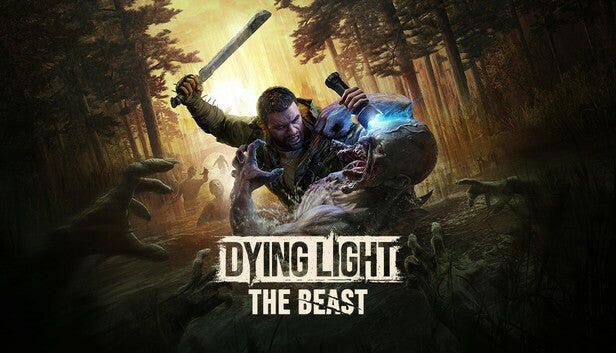
Dying Light: The Beast PC Steam Account
Questions before you buy?
Talk to the team if you want delivery, activation, or edition guidance before you place the order.
Night is a hunter—and you’re the prize. With a Dying Light: The Beast PC Steam Account, you jump into a first-person action survival game where parkour movement, brutal melee, and a ruthless day–night loop keep every step intense. This Steam account grants instant PC access to a high-energy zombie experience built for skill and nerve.
Key Features
-
Sprint and scale rooftops with responsive parkour to outrun the infected and control vertical space
-
Craft and upgrade gear, elemental mods, and throwables to turn scrap into fight-winning tools
-
Team up in online co-op for story runs, bounties, and high-risk night expeditions
-
Hunt smart with stealth, traps, and UV tactics when Volatiles rule the darkness
-
Sink hours into side quests, challenges, and loot routes that evolve as your build grows
Story and Atmosphere
A city in quarantine, split between uneasy daylight and lethal nights. By day you scavenge, help survivors, and push into new districts; after sundown the streets belong to faster, meaner threats. Radio chatter, flickering safehouses, and last-second escapes build an epic adventure of grit and nerve.
While it isn’t pure open-world exploration, the map invites free-form routing—alleys, interiors, and rooftop networks reward timing and observation. The more you learn the terrain, the bolder your runs become.
Available Platforms
PC (Steam)
Minimum Requirements (PC)
-
CPU: Intel Core i5-2500 / AMD FX-8320
-
GPU: NVIDIA GeForce GTX 560 / AMD Radeon HD 6870 (1 GB VRAM)
-
RAM: 8 GB
-
Storage: 40 GB
Recommended Requirements (PC)
-
CPU: Intel Core i5-4670K / AMD Ryzen 5 1500X
-
GPU: NVIDIA GeForce GTX 970 / AMD Radeon R9 290 (4 GB VRAM)
-
RAM: 16 GB
-
Storage: 40 GB SSD
| Spec | Minimum | Recommended |
|---|---|---|
| CPU | i5-2500 / FX-8320 | i5-4670K / Ryzen 5 1500X |
| GPU | GTX 560 / HD 6870 (1 GB) | GTX 970 / R9 290 (4 GB) |
| RAM | 8 GB | 16 GB |
| Storage | 40 GB | 40 GB SSD |
Reviews & Testimonials
“Parkour and melee that still feel fierce—every rooftop sprint matters.” — ★★★★☆ Survival Action Fan
“Night runs are intense, co-op keeps the loop fresh.” — ★★★★★ Community Player
“Crafting and route knowledge create real mastery.” — ★★★★☆ PC Action Enthusiast
Account Use & Security Guide (Steam)
-
Use the credentials you received (directly or via an external website) and log into the account.
-
Verify the content is correct (right edition of the game, no playtime, etc.).
-
Secure the account by changing:
-
Email
-
Password
-
2FA (Steam Guard)
-
-
It may not be possible to add the purchased account to an existing Steam Family or to enable Family Sharing.
-
Use this account only to access the game/content you need; it’s not recommended as your main account due to potential purchase issues.
-
Applying changes such as adding a payment method or changing the region may result in a ban. In such cases, no refund is applicable.
Buy Now — get your Dying Light: The Beast PC Steam Account and tear across the rooftops with sharp parkour, heavy hits, and instant access on PC.
Technical Specs & System Requirements
| Spec | Minimum | Recommended |
|---|---|---|
| CPU | i5-2500 / FX-8320 | i5-4670K / Ryzen 5 1500X |
| GPU | GTX 560 / HD 6870 (1 GB) | GTX 970 / R9 290 (4 GB) |
| RAM | 8 GB | 16 GB |
| Storage | 40 GB | 40 GB SSD |
Product snapshot
What you receive
- Original activation or license delivery by email after checkout.
- Download or installation guidance included whenever the product requires it.
- Order, activation, and account support available if you need help.
Buying confidence
- Checkout runs through the same NDWS Market order flow used across the catalog.
- Order, delivery, and activation questions can be handled through support if something needs attention.
- If you need the correct edition confirmed before buying, contact support first and include the product name.
Process
How digital delivery works
01 Purchase
Buy your product securely through NDWS Market checkout with fast digital order processing.
02 Download
You receive the activation key and any installation guidance by email after checkout.
03 Install
Follow the included steps to download and install the software on the correct device.
04 Activate
Enter the delivered license key to activate the product and start using it.
Compare
Why buy from NDWS Market?
| Features | NDWS Market | Others |
|---|---|---|
| Guaranteed authentic software Every key is sourced for legitimate activation and delivered through the NDWS Market order flow. | ✓ | × |
| Instant digital delivery The license key and access details are sent by email after checkout without manual chasing. | ✓ | × |
| Activation and install guidance Support can help if you need the right edition confirmed or the setup steps clarified. | ✓ | × |
| Replacement or refund path If there is a real activation issue, NDWS Market gives you a support route instead of leaving you stuck. | ✓ | × |
| Transparent checkout pricing The buying flow stays inside one storefront with visible pricing and a normal checkout experience. | ✓ | × |
| Secure encrypted payments Orders run through the same protected checkout used across the catalog, not scattered seller flows. | ✓ | × |
Support
Frequently asked questions
How do we keep our prices so low?
Digital fulfillment and volume sourcing let NDWS Market price many products below typical retail levels.
Are our codes/keys real?
Yes. NDWS Market products are sold for legitimate activation and standard digital delivery.
How long does it take to get my order?
Most orders are delivered within minutes, although verification or payment checks can occasionally add some delay.
Do we ship by post?
Software keys and digital products are delivered electronically. Physical shipping only applies when a listing clearly includes hardware.
How can I download/view my code/key?
You receive the key and any included instructions by email after checkout, so you can access the product details digitally.
Are there subscription fees for your product keys?
No recurring subscription is added unless the product itself is specifically sold as a subscription-based license.
Can I redeem/activate my product key later?
Usually yes, but activating sooner is still the safer option so you can confirm everything is working while the order is fresh.
I do not know how to activate my product key.
Use the included setup guidance first. If anything is unclear, contact support and we will help you complete the activation.



Reviews
There are no reviews yet.